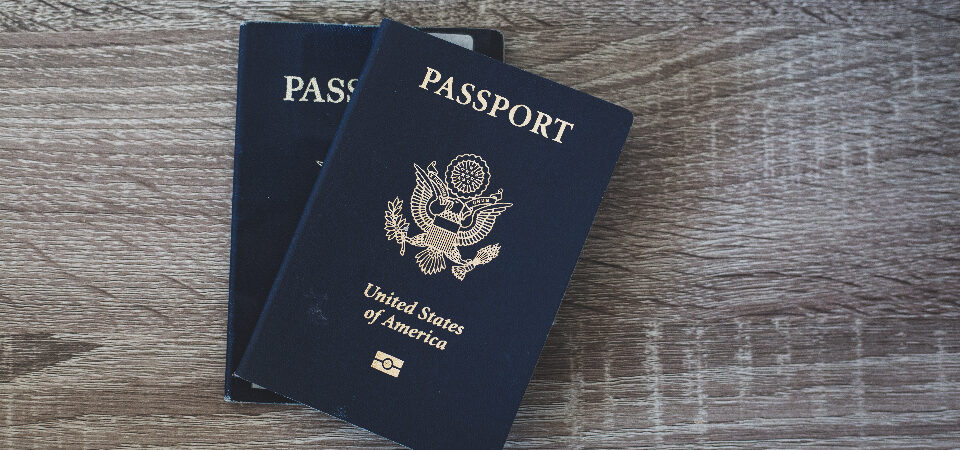
Quick answer: Before a longer stay abroad, build one small recovery system for money, identity documents, medical notes, phone access, and emergency contacts. Keep the sensitive archive secure, keep a tiny offline packet available, and test the setup before you fly. The goal is not to carry every document or every dollar. It is to make sure one lost wallet, locked bank app, missing passport, dead phone, or clinic visit stays manageable.
Most people plan the enjoyable parts of living abroad first: the city, the apartment, the weather, the food, the monthly budget. That makes sense. Those are the parts that make the move feel real. But for a one- to three-month stay, the trip often depends on quieter systems that only matter when something goes wrong.
If your debit card stops working, can you still get cash? If your passport disappears, can you find the number, issue date, and nearest U.S. embassy contact quickly? If a doctor asks what medication you take, can you show the generic names and dosage? If your phone is stolen, can you still reach your bank, email, password manager, insurance company, and lodging host?
This guide combines two systems travelers often treat separately: money access and document organization. They belong together because real problems do not stay in neat categories. A lost phone can become a banking problem. A blocked card can become a housing problem. A missing prescription record can become a medical and payment problem. The backup system does not need to be elaborate, but it does need to work when you are tired and under pressure.
This is general planning, not legal, immigration, financial, medical, tax, or cybersecurity advice. Use it as a practical checklist before a longer stay abroad, then adjust it for your actual destination, health situation, budget, and bank setup.
The simple rule: separate the things that can fail together
A useful backup system starts with one idea: do not let one failure take everything down at once.
If your only debit card, credit card, phone, bank app, identity scan, insurance contact, and emergency notes all live in the same purse or backpack, you do not really have a backup plan. You have one well-packed point of failure. The fix is not to become paranoid. The fix is to separate the most important recovery paths.
That means keeping a backup debit card away from your main wallet. It means having bank contact numbers somewhere other than the app that may be locked. It means saving passport and insurance details in a secure place you can reach from more than one device. It also means keeping a small paper or offline packet with only enough information to recover in the first hour of a problem.
This is the same practical mindset behind choosing a workable first base abroad. The best city is not just the one that looks good online; it is the place where an ordinary Tuesday works. The best backup system is not the most elaborate archive; it is the one you can actually use when you are tired, stressed, and standing outside an apartment, bank, pharmacy, or clinic.
Layer 1: money access that does not depend on one card
Start with money because money problems can make every other problem harder. For many longer-stay travelers, a practical setup includes one primary debit card for ATM withdrawals, one backup debit card kept separately, one credit card for deposits and emergencies, and a modest cash reserve that can buy time.
The backup debit card is not there because you expect to use it every day. It is there because ATMs keep cards, fraud systems block transactions, banks change rules, wallets get stolen, and apps sometimes fail at the worst possible moment. If possible, use a card from a different account or institution. If that is not realistic, at least keep the backup physically separate from your main wallet.
Before departure, test the cards. Check the ATM PIN. Confirm foreign fees, daily withdrawal limits, card controls, and whether your bank wants travel notices. Turn on transaction alerts you can actually receive abroad. A text alert to a U.S. number is not much help if you plan to turn off roaming and have no Wi-Fi calling setup.
For a deeper version of this setup, use the full money access backup plan. The short version is this: the first blocked card should be annoying, not catastrophic.
Layer 2: identity and travel documents you can reach quickly
Next, organize the documents that prove who you are and where you are supposed to be. Save clear copies of your passport identity page, passport card if you have one, driver license or state ID, flight confirmation, lodging address, booking confirmation, landlord or host contact, and any entry paperwork you receive after arrival.
A passport scan is not a replacement for the passport. It will not let you travel by itself. But it can help you report a loss, complete forms, contact the nearest U.S. embassy or consulate, and give a trusted person accurate details if they are helping from home. The State Department’s travel checklist and help-abroad resources are useful starting points because they treat preparation as a normal part of international travel, not a dramatic emergency exercise.
Keep arrival paperwork boring and practical. If you are tired at an airport or trying to reach an apartment after dark, you should not have to search through email threads for an address. Save the address in English and, when useful, in the local language or script. Include the host’s phone number, check-in instructions, and any gate or lockbox details that are safe to store.
This pairs naturally with how to find a good apartment for a one- to three-month stay abroad and what to verify during the first 24 hours abroad. Documents are not just for airports. They are for the ordinary admin moments that decide whether the first week feels manageable.
Layer 3: medical and prescription notes that explain the basics
Medical documents do not need to become a giant file cabinet. They need to answer basic questions quickly: What conditions matter? What medications do you take? What allergies should a clinician know? Who is your doctor at home? What insurance or travel medical policy do you have? What number do you call for emergency assistance?
At minimum, save your insurance card or travel medical policy, claim instructions, emergency assistance number, medication list, allergies, major diagnoses, doctor contact, pharmacy contact, and vaccination record if relevant. For prescriptions, save photos of original labels or packaging, generic drug names, dosage, prescriber details, and a short doctor letter when a medication is essential, unusual, refrigerated, injectable, or controlled.
The CDC warns that medicine rules vary by country and some medicines that are common in the United States may be restricted, unlicensed, or treated as controlled substances elsewhere. A digital copy of a prescription does not override destination rules. It simply helps you ask better questions and explain your situation if you need care.
If medication is important to your trip, read how Americans can refill prescriptions overseas without turning it into a crisis before you leave. For care costs, pair this with travel insurance vs. paying cash abroad.
Optional credit: Photo by Negative Space / StockSnap, CC0.
Layer 4: phone, email, and two-factor authentication that still work abroad
Your backup system only works if you can unlock it. This is where many travelers accidentally create trouble. They store documents in the cloud, use strong passwords, turn on two-factor authentication, and then discover abroad that the code goes to a U.S. phone number they cannot receive.
The FTC recommends two-factor authentication for sensitive accounts. That is sound advice. The travel issue is not whether account security matters. It does. The issue is whether your security setup is still reachable after a SIM change, phone loss, dead battery, locked email account, or weak internet connection.
Before departure, test your email, password manager, bank apps, cloud folder, and phone plan from the actual devices you will carry. Confirm whether your U.S. number works through roaming, Wi-Fi calling, eSIM arrangements, or another method. Make sure you can get into your password manager and primary email without relying on only one device.
Do not put passwords, PINs, or full card numbers in a normal travel document. Use a reputable password manager or another secure system designed for sensitive data. Your ordinary travel folder should contain enough information to act quickly, not enough information to hurt you if a device is stolen.
The site’s phone service setup guide covers U.S. number access, eSIMs, local SIMs, and verification-code problems in more detail. For this article, the rule is simple: document access, bank access, and phone access are one system.
Use two folders, not one giant archive
The easiest structure is a secure archive plus a small emergency packet.
The secure archive can live in a password manager attachment area, encrypted storage, or a carefully managed cloud folder. It is where you keep the fuller set of passport scans, insurance documents, prescription records, booking paperwork, emergency contacts, and bank contact notes.
The emergency packet is much smaller. It should be available offline and include only what helps in the first hour of a problem: passport copy, lodging address, insurance emergency number, bank international phone numbers, a trusted contact, essential medical notes, and nearest embassy or consulate contact path. A printed mini-sheet can still be useful if it is modest and kept separate from your wallet and passport.
Do not turn the offline packet into a complete identity file. Avoid full card numbers, passwords, PINs, Social Security numbers, recovery codes, and sensitive family records unless there is a specific secure reason. The packet should help you recover; it should not expose your whole life.
A simple folder structure
- 01 Identity: passport, passport card, driver license or state ID, visa or entry-stamp photos.
- 02 Travel and housing: flights, lodging address, booking confirmation, lease or stay agreement, deposit receipt, host or landlord contact.
- 03 Medical: insurance, prescriptions, medication list, allergies, doctor contact, pharmacy contact, vaccination record if relevant.
- 04 Money access: bank and card emergency numbers, last four digits, which card is primary, which card is backup, and what to do if one fails.
- 05 Phone and account recovery: U.S. number plan, eSIM/local SIM notes, email recovery notes, password manager recovery path, trusted-device notes.
- 06 Emergency contacts: trusted person at home, doctors, insurers, landlord or host, local emergency number, nearest U.S. embassy or consulate contact path.
Keep names obvious. A beautiful filing system is useless if you cannot find things under stress. Use dates on important documents, and delete stale duplicates after you replace them. If older passport scans, expired cards, canceled insurance policies, or old apartment bookings are mixed into the same folder, clean that up before you travel.
Test the system before you need it
The test is where the backup system becomes real. Put your phone in airplane mode and see what you can still open. Try your cloud folder from a second device. Confirm your password manager works. Check that you can reach bank contact numbers without logging into the bank app. Make sure a trusted contact knows how to reach you and what they are allowed to help with.
Then run a lost-wallet drill on paper. If your wallet disappeared tonight, what would you do first, second, and third? Which card gets canceled? Which card still works? How do you get cash tomorrow? How do you prove your identity? How do you contact your lodging host? How do you call your bank if the phone with the bank app is gone?
That may sound excessive until you compare it with the alternative: trying to invent a recovery plan while tired, abroad, and worried. A 20-minute test at home can save days of stress later.
What to avoid
- Do not rely on one card. A single debit card is not enough for a longer stay.
- Do not rely on one phone. Phones get lost, stolen, damaged, locked, or disconnected.
- Do not store everything in your camera roll. It is hard to search and may not be secure enough for sensitive documents.
- Do not email yourself a giant packet of sensitive documents unless you have no safer option. Email accounts are major recovery targets.
- Do not carry every original document abroad. Bring originals only when there is a specific reason.
- Do not assume digital copies override local rules. Passport, medication, visa, driving, rental, banking, and insurance requirements vary.
The practical version
If you only do one version of this, make it small and strong. Carry one primary debit card, one separate backup debit card, one credit card, and modest emergency cash. Save passport, lodging, insurance, medication, bank-contact, and emergency-contact details in a secure archive. Keep a tiny offline packet for first-hour recovery. Test phone, email, password manager, bank, and cloud access before you fly.
This will not make a longer stay abroad risk-free. Nothing does. But it changes the shape of common problems. A blocked card becomes a detour. A missing passport becomes a process. A clinic visit becomes easier to explain. A dead phone becomes a recovery task, not a dead end.
That is the whole point of a money-and-documents backup system: boring resilience. It gives you enough room to think clearly when travel gets inconvenient, which is exactly when you need the system most.
References and source notes
- U.S. Department of State, International Travel Checklist: https://travel.state.gov/en/international-travel/planning/checklist.html
- U.S. Department of State, Help Abroad: https://travel.state.gov/en/international-travel/help-abroad.html
- U.S. Department of State, Emergency Financial Assistance: https://travel.state.gov/en/international-travel/help-abroad/financial.html
- U.S. Department of State, Apply for a Passport Outside the United States: https://travel.state.gov/content/travel/en/passports/need-passport/outside-us.html
- Federal Trade Commission, Lost or Stolen Credit, ATM, and Debit Cards: https://consumer.ftc.gov/articles/lost-or-stolen-credit-atm-and-debit-cards
- Federal Trade Commission, Use Two-Factor Authentication To Protect Your Accounts: https://consumer.ftc.gov/articles/use-two-factor-authentication-protect-your-accounts
- Federal Trade Commission, How To Recognize and Avoid Phishing Scams: https://consumer.ftc.gov/articles/how-recognize-avoid-phishing-scams
- Consumer Financial Protection Bureau, unauthorized transactions and money missing from a bank account: https://www.consumerfinance.gov/ask-cfpb/how-do-i-get-my-money-back-after-i-discover-an-unauthorized-transaction-or-money-missing-from-my-bank-account-en-1017/
- CDC Travelers’ Health, Traveling Abroad with Medicine: https://wwwnc.cdc.gov/travel/page/travel-abroad-with-medicine
- CISA, Use a Password Manager to Create and Remember Strong Passwords: https://www.cisa.gov/resources-tools/training/cyb3rsmrt-use-password-manager-create-and-remember-strong-passwords
Planning tool
Put the backup pieces in one system
The First 90 Days Abroad System includes money access, documents, phone and 2FA, apartment checks, and arrival-week worksheets so the boring systems line up before you leave.